

Short Answer: Cofenster's new AI Prompter and Script Builder helps every contributor structure, script, and deliver their message on camera with clarity and confidence.
Tell your AI Video Agent, Ella, what you want to say, and you'll receive an on-brand script in seconds. Then, with the AI Prompter, you can see your lines on screen while you record. Teams report higher participation, fewer reshoots, and messages that land the first time.
Watch this AI Prompter and Script Builder Walkthrough to learn more:
Why speaking to camera is hard for busy teams
Not every message works as a voiceover or a text-to-video clip. Many of your most important updates need a real face and a real voice so people feel the intent behind the words.
The problem is that most contributors are not trained presenters. They worry about what to say, how to structure it, and whether they will forget their main point halfway through. That leads to hesitation, long prep cycles, and reshoots that drain energy and slow momentum. The result is messages that never get recorded or videos that do not feel confident or clear.
In conversations with customers we hear the same themes again and again. They want someone to tell them how to begin, how to make the stay on track, and how to wrap up without rambling.
They want a simple way to keep their eyes connected to the camera and still say the right thing in the right order. This is the gap the AI Prompter and Script Builder was designed to close. It gives every contributor a safety net and a process so they can focus on delivery rather than script anxiety.
What the AI Prompter + Script Builder does
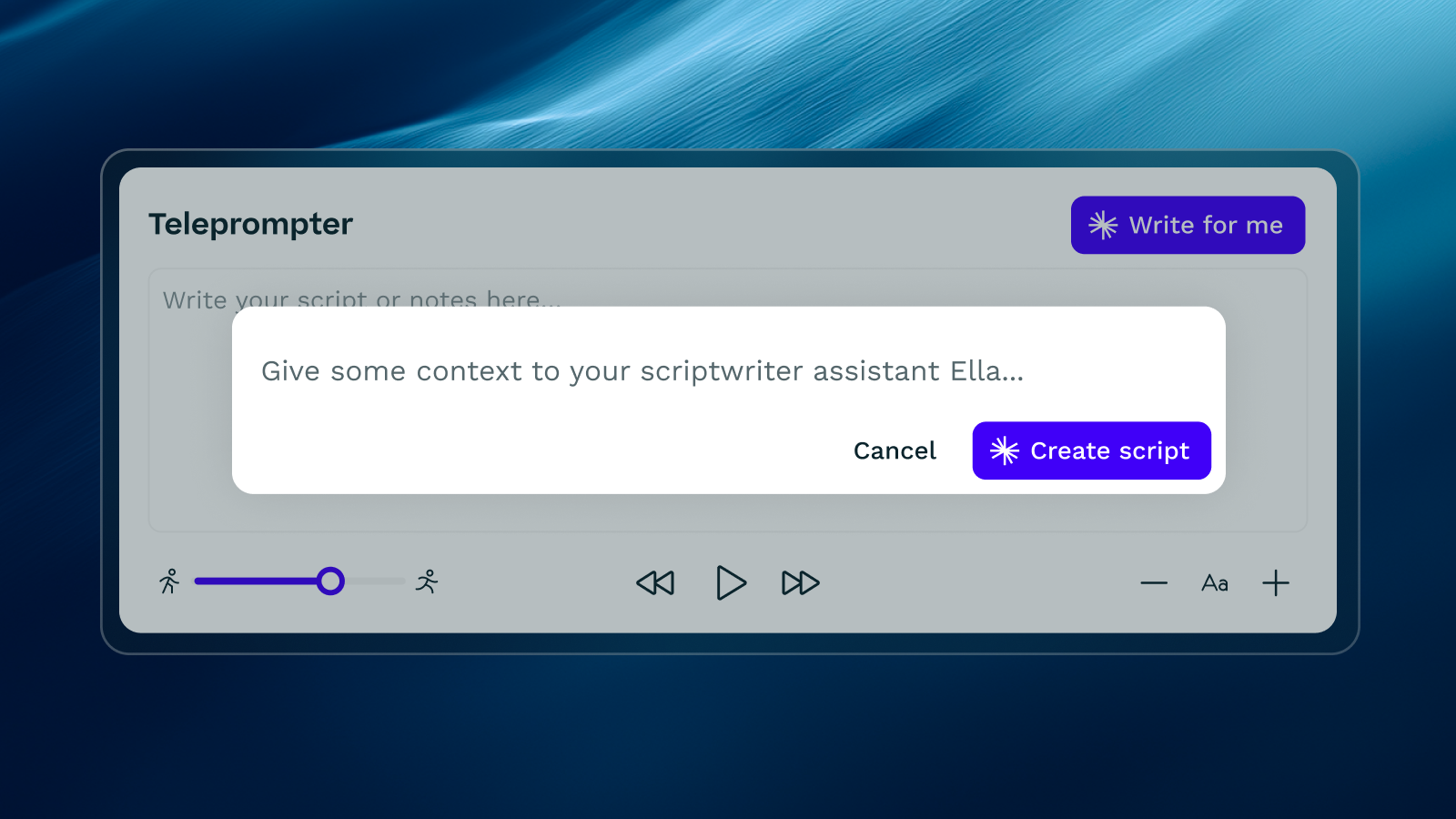
Ella’s new capability helps you plan the message before you ever press record. You give Ella a short description of what you want to say. Ella then returns a structured outline and a polished, on-brand script that fits the context of your video. When you are ready, the prompter appears inside the recording experience so your lines are available on screen.
You can adjust pace, size, and line breaks so it feels natural. If you prefer bullet prompts over full sentences, you can switch with one click and keep your authentic voice.
The goal is not to make people sound robotic. The goal is to remove the fear of the blank page, give presenters a clear track to run on, and keep the delivery tight and human.
Because the script is generated with your brand tone, terminology, and preferred structure, contributors get guidance that feels familiar rather than generic. It turns “What do I say?” into “I know exactly what to say and how to say it” in seconds.
How the AI Prompter works in 3 simple steps
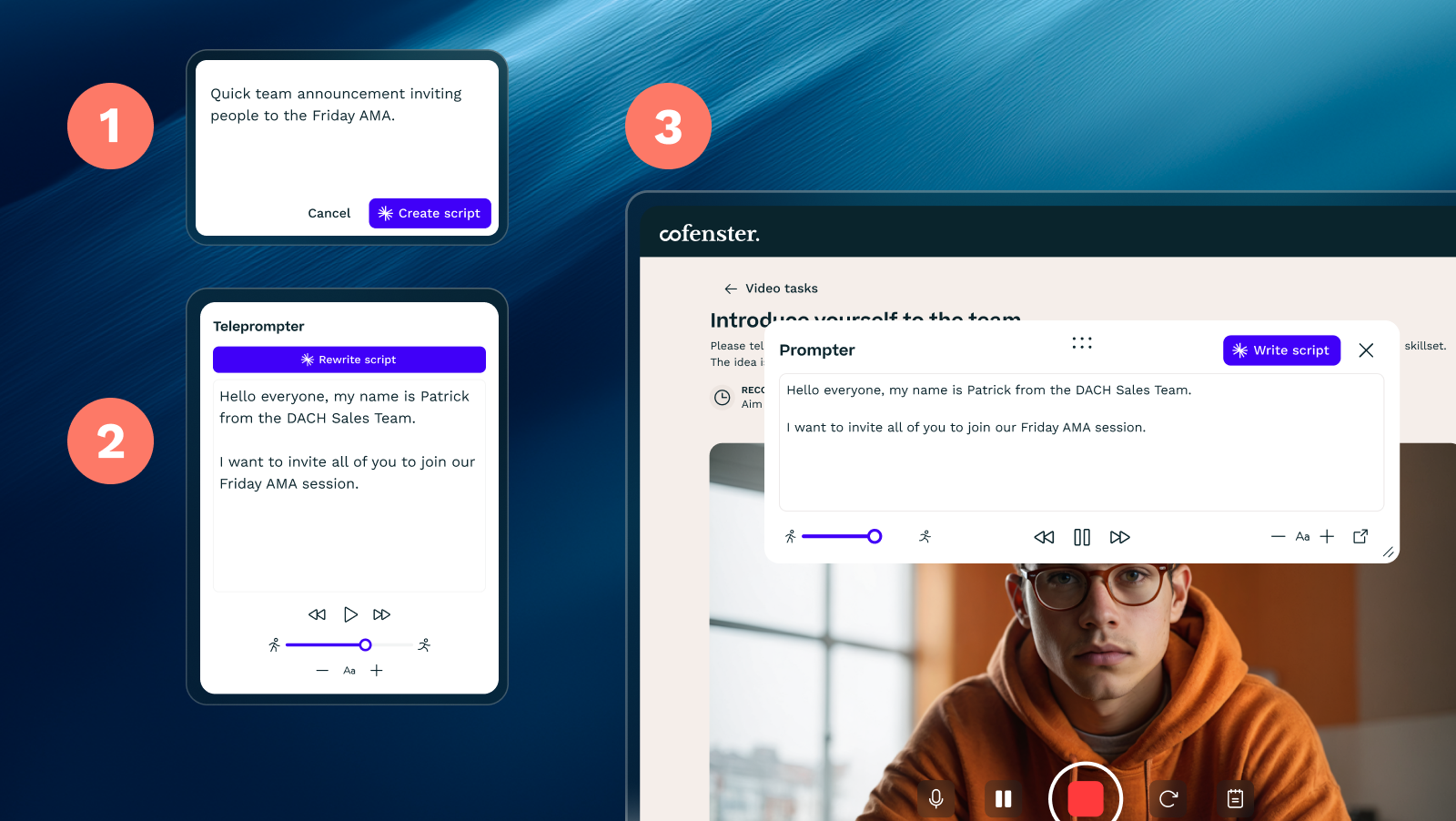
- Tell Ella what you want to say
Choose your video type and add a one or two line brief. For example: “Quick team announcement inviting people to the Friday AMA.” You can set tone and length to fit the channel and audience. - Get a smart outline and script
Ella generates a storyboard-style outline and a full script that follows a clear arc. Hook, context, key points, and call to action are included. You can edit wording, insert specific details, or ask Ella to simplify, shorten, or add examples. The script updates on the spot. - Open the Prompter and record smoothly
Launch the built-in teleprompter directly in the recording view. Adjust speed and text size. Press record and off you go!
No second-guessing, no memorizing paragraphs, and many fewer reshoots than before.
Optional extras like brand templates, automatic subtitles, and multi-language versions can be applied after recording, just like your normal Ella workflow.
Where this helps most
The AI Prompter and Script Builder is useful anywhere clarity, confidence, and consistency matter. These are common scenarios customers are solving today.
- Company-wide updates
Short monthly or quarterly messages from leadership or comms that need a crisp structure and a clear takeaway. The prompter keeps the delivery on track while the script protects key details. - Change communication
Explaining what is changing, by when, and what action is needed. Ella ensures the sequence is logical and complete so people know exactly what to do next (learn more about change comms by checking out our Modern Comms podcast episode with Patty Rivas). - Team announcements
Quick notes about priorities, wins, or requests. The outline keeps it brief and useful, which encourages more frequent updates from managers and project leads. - Employer branding and culture clips
Employee spotlights, values moments, or micro-stories that benefit from a confidence boost on camera. Prompts help shy contributors relax and share more naturally. - Campaign or event invites
Simple scripts that frontload the value and make the ask. The prompter helps presenters land the CTA cleanly the first time.
Quality without friction with an AI Prompter
Teams adopt tools that remove steps, not add them. The AI Prompter and Script Builder was built to improve quality without increasing effort. Here is how it helps.
- Higher participation
When contributors know they will be supported with structure and prompts, they say yes more often. This grows your pool of on-camera voices and makes your content feel more representative. - Fewer reshoots
A clear track and on-screen lines reduce false starts and rambling. Most users finish in one or two takes, which keeps morale high and calendars free. - Consistent quality
On-brand scripts and guided structure keep messages aligned even when many people across the company contribute. You get a dependable standard without a heavy review process. - Confidence on camera
The prompter gives presenters a natural place to focus their eyes. The script gives them permission to be concise. Together they help people sound clear, confident, and human.
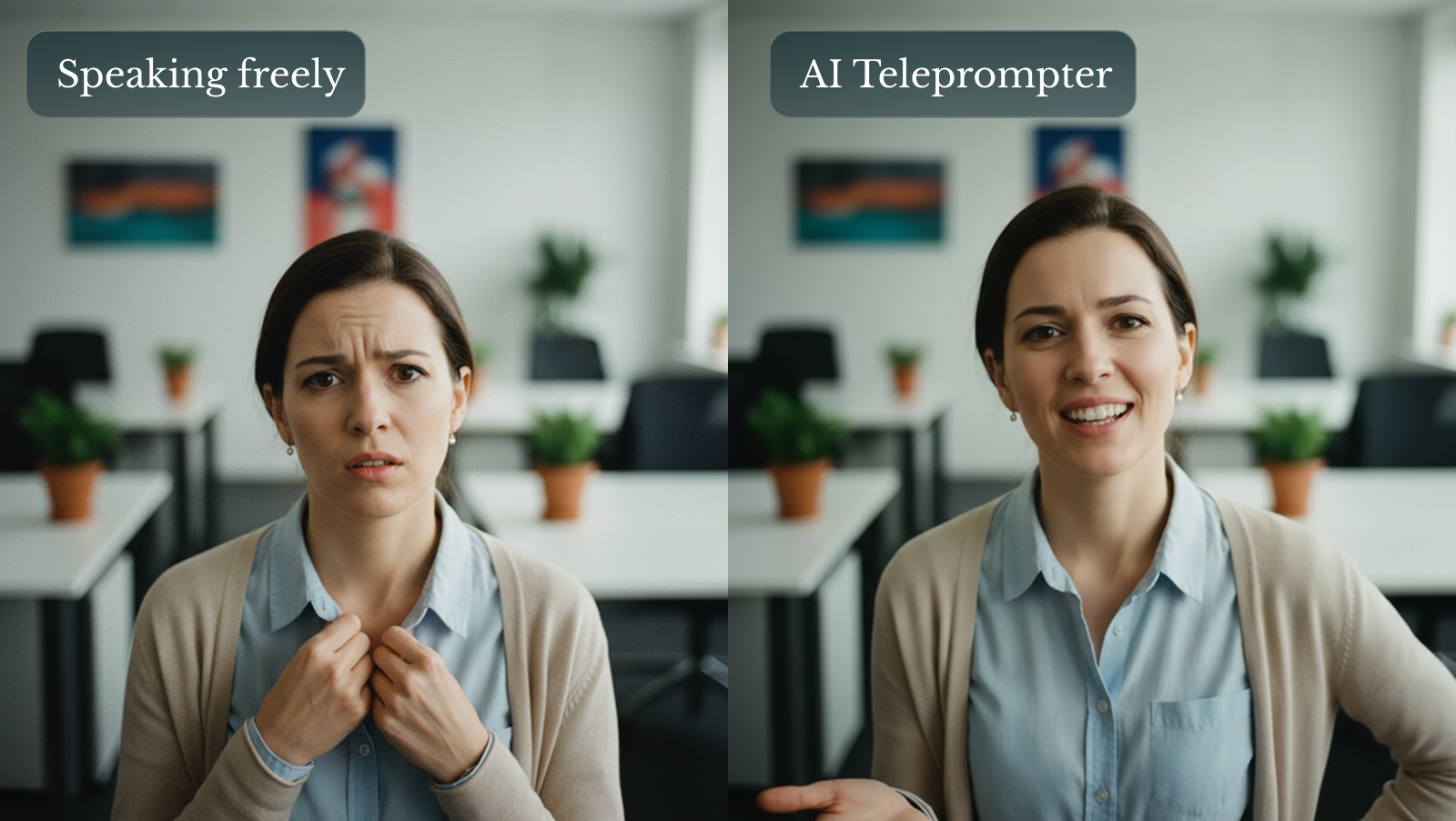
Without Ella’s AI Prompter + Script Builder:
- Blank page, long prep, ad hoc structure
- Hesitation and camera shyness
- Multiple takes and editing fixes
- Inconsistent tone across contributors
With Ella Prompter + Script Builder
- Script and outline in seconds that follow a clear arc
- On-screen prompts build confidence and keep flow
- One or two takes, minimal trimming
- On-brand language and structure from the start
Rollout tips for faster AI prompter adoption
A smooth rollout is less about training and more about creating a simple pattern people can trust. These tips work well.
- Start with two video types
For example, monthly leadership update and weekly team announcement. Provide a one-line brief template for each so contributors know what to write. - Share a two-minute checklist
Keep sentences short, smile, sit or stand still, and pause for a beat between points. Simple habits make a big difference on camera. - Record in a quiet room
A laptop camera with stable light and a quiet room beats complex setups in many offices. Remind people to raise the laptop to eye level. - Celebrate first-timers
Post early wins in your internal channels so others see how easy it is to participate. The social proof is powerful. - Keep it short
Most messages land best in 45 to 90 seconds. The prompter helps you stay within that range without cutting important details.
See it in action
When the message matters, confidence and clarity win. Ella’s AI Prompter and Script Builder turn blank-page anxiety into a simple, repeatable flow so anyone can deliver a focused update in one or two takes. Fewer reshoots, more credible voices, and messages that actually land.
Ready to try it yourself and see how easy it is?
Book an interactive demo with an AI Video Advisor.